Pinterest Gif Downloader
Download Pinterest animated Gifs and images online for free
Pinterest Gif Downloader Guide
Downloading Gifs from Pinterest can be tricky because the app doesn't provide a direct "Save as Gif" option. Our tool bridges that gap.
How to use Step-by-Step
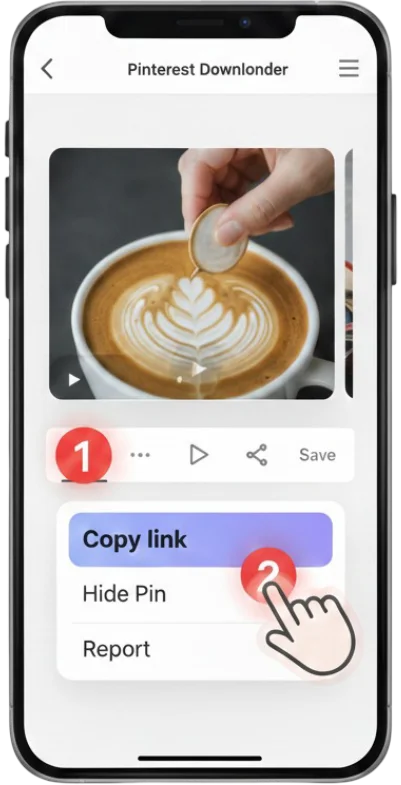
1 Copy Link
Open Pinterest and copy the URL of the Gif you want to download.
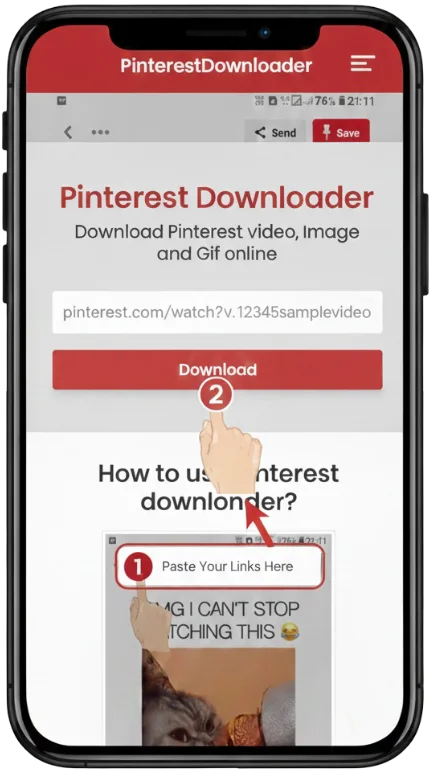
2 Paste Link
Paste the copied link into the input box at the top of this page.
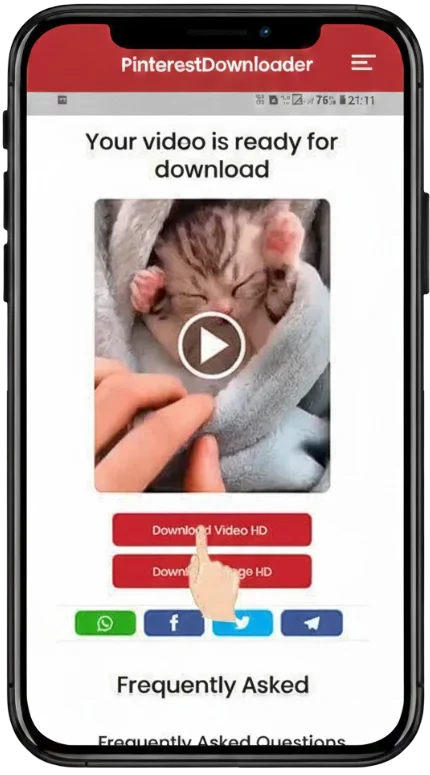
3 Download
Click the Download button and choose the Gif format to save it to your device.
Features of Pinterest Gif Downloader
High Quality Gifs
Download Gifs in the best available resolution without any loss in animation quality.
Fast and Free
No registration required. Download unlimited Gifs from Pinterest at lightning-fast speeds.
All Devices Supported
Whether you are on Android, iOS, Windows, or Mac, our downloader works perfectly in any browser.
User Friendly
A simple and clean interface designed to make downloading Pinterest Gifs as easy as possible.
How to Download Gifs from Pinterest
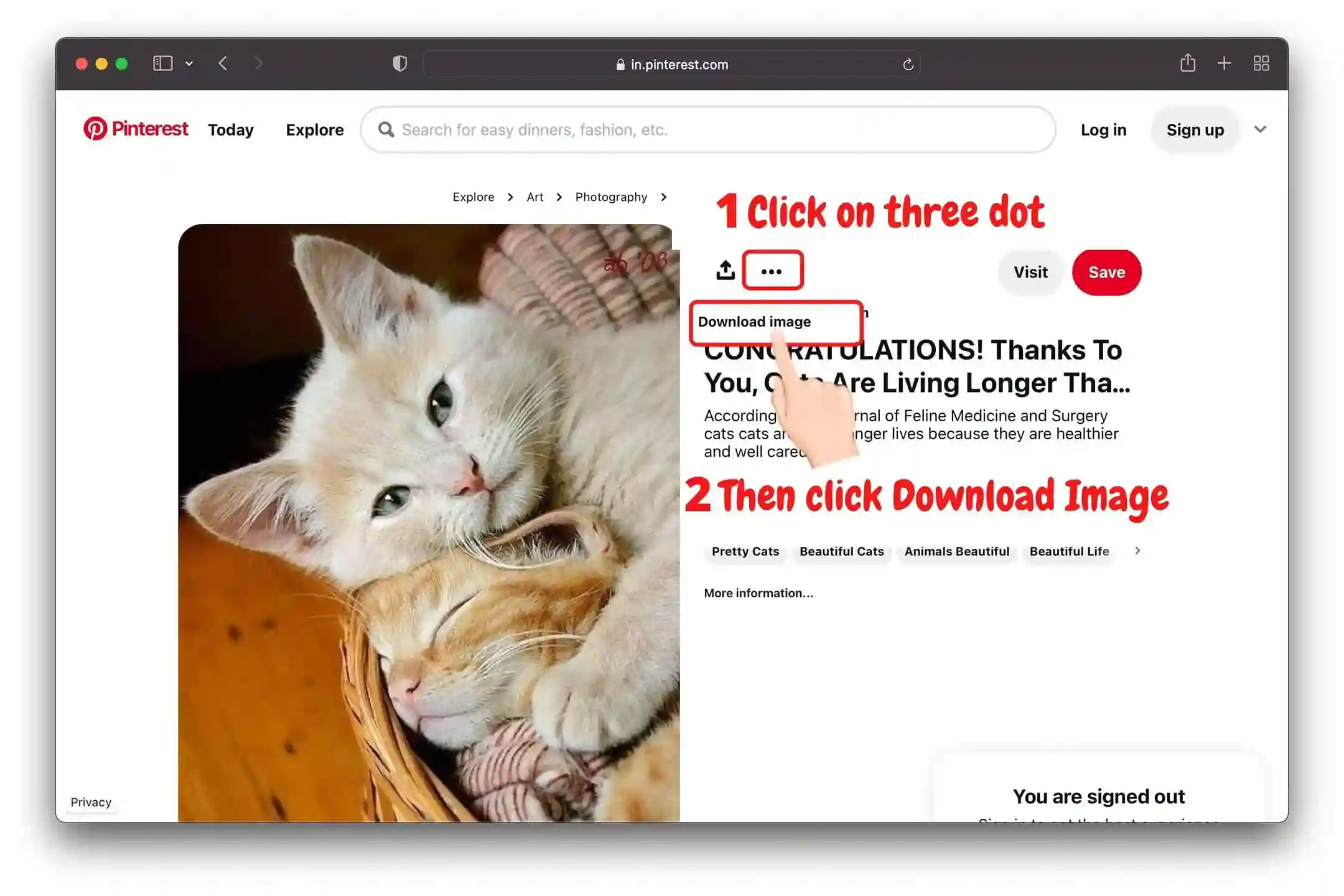
🖥️ Steps to download from Pinterest Website (PC/Mac)
- 📌 Visit Pinterest.com and find the animated Gif you want to save.
- 📌 Click on the "Send" icon or the address bar to copy the Gif link.
- 📌 Come back to our Pinterest Gif Downloader and paste the link.
- 📌 Click "Download" and the Gif will be saved to your Downloads folder.
🤳 Steps to download using the Pinterest App
Open App
Open the Pinterest app and tap on the Gif you like.
Copy URL
Tap the three dots (...) or the Share icon and select "Copy Link".
Save to Gallery
Paste the link here and tap Download to save it directly to your phone's gallery.

Hướng dẫn video

Is Pinvids Safe to Use?
Yes, PinVids is completely safe and designed with a privacy-first approach.
✅ Pinvids is Verified Safe: Google Safe Browsing | Norton Safe Web | TrustProfileFrequently Asked Questions
Yes, our tool is completely free to use. You can download as many Gifs as you want without paying a single penny.
Absolutely! This tool is web-based and works perfectly on all mobile browsers including Safari, Chrome, and Samsung Internet.
Gifs are usually saved in the "Downloads" folder on your PC or Mac, and in the "Downloads" or "Gallery" folder on your mobile devices.
Yes, it is 100% safe. We do not store any of your personal data or the Gifs you download on our servers.
Make sure you selected the GIF format and not the image preview.
Yes, the downloaded files are standard GIFs compatible with all platforms.
Currently, we only download existing GIFs. Video to GIF conversion is coming soon.
Our servers are optimized for speed, but large high-quality GIFs may take a few seconds.