Premium Features of our Pinterest Photo Downloader
Intuitive User Interface
Our tool is designed for speed. There is no need to register, log in, or subscribe. Simply open the tool and save your images with one click.
Supports Multiple Formats
Save your photos in the format you need. We support HD, JPG, and PNG formats, ensuring you get the best quality without any watermarks.
4K & HD Downloads
Pinvids ensures you get the original upload quality. Save all your favorite wallpapers and Pins in stunning HD or 4K resolution.
Works on All Devices
Whether you are using Android, iOS, Windows, or macOS, our web-based tool works perfectly without requiring any app installation.
How to use the Image Downloader?
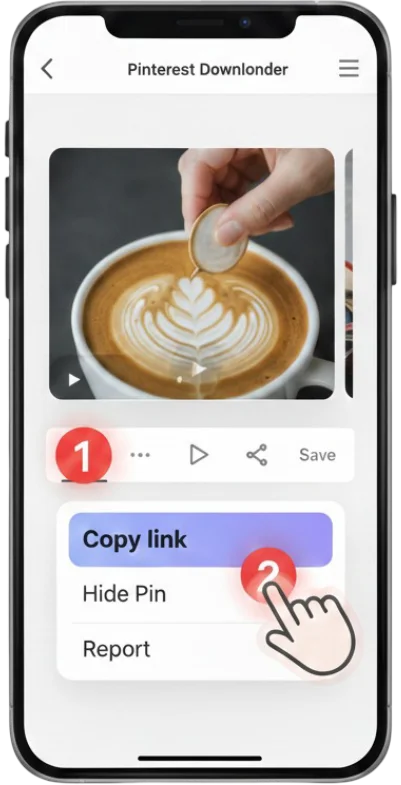
1 Copy Image Link
Find the image you like on Pinterest and copy its link from the address bar or share menu.
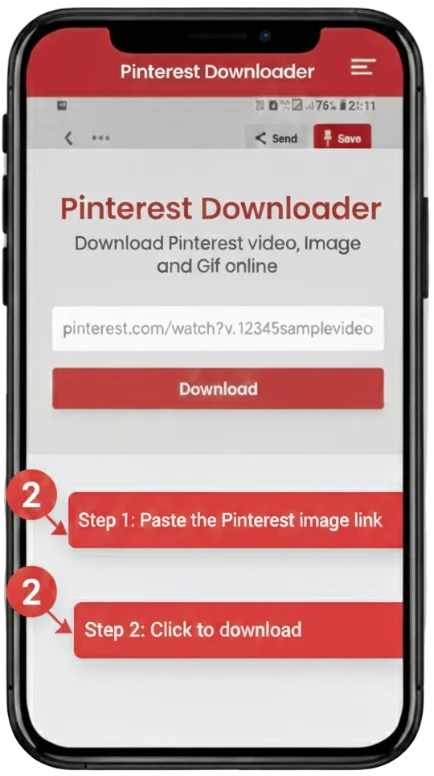
2 Paste the URL
Paste the image link into our free Pinterest image downloader box above.
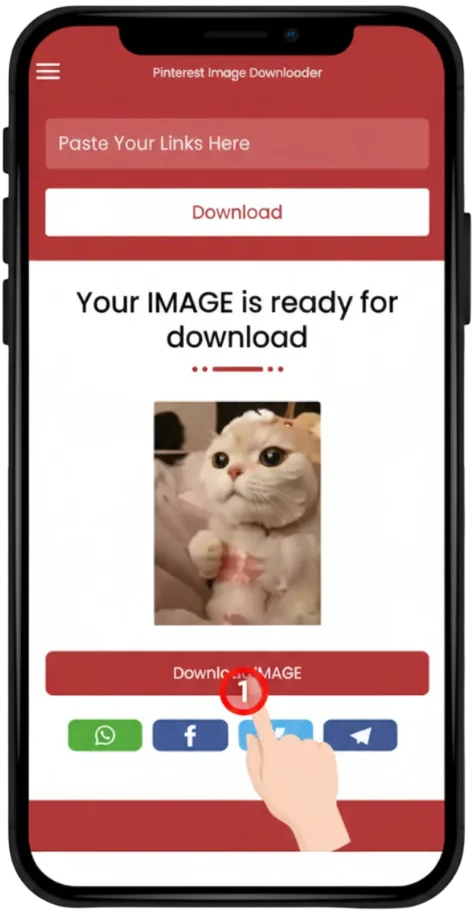
3 Save the Photo
Click the download button. Your high-resolution image will be saved to your device in seconds.
Visual Guide: How to Save Pinterest HD Images
Learn how to use the built-in Pinterest download feature vs our tool for higher quality results.
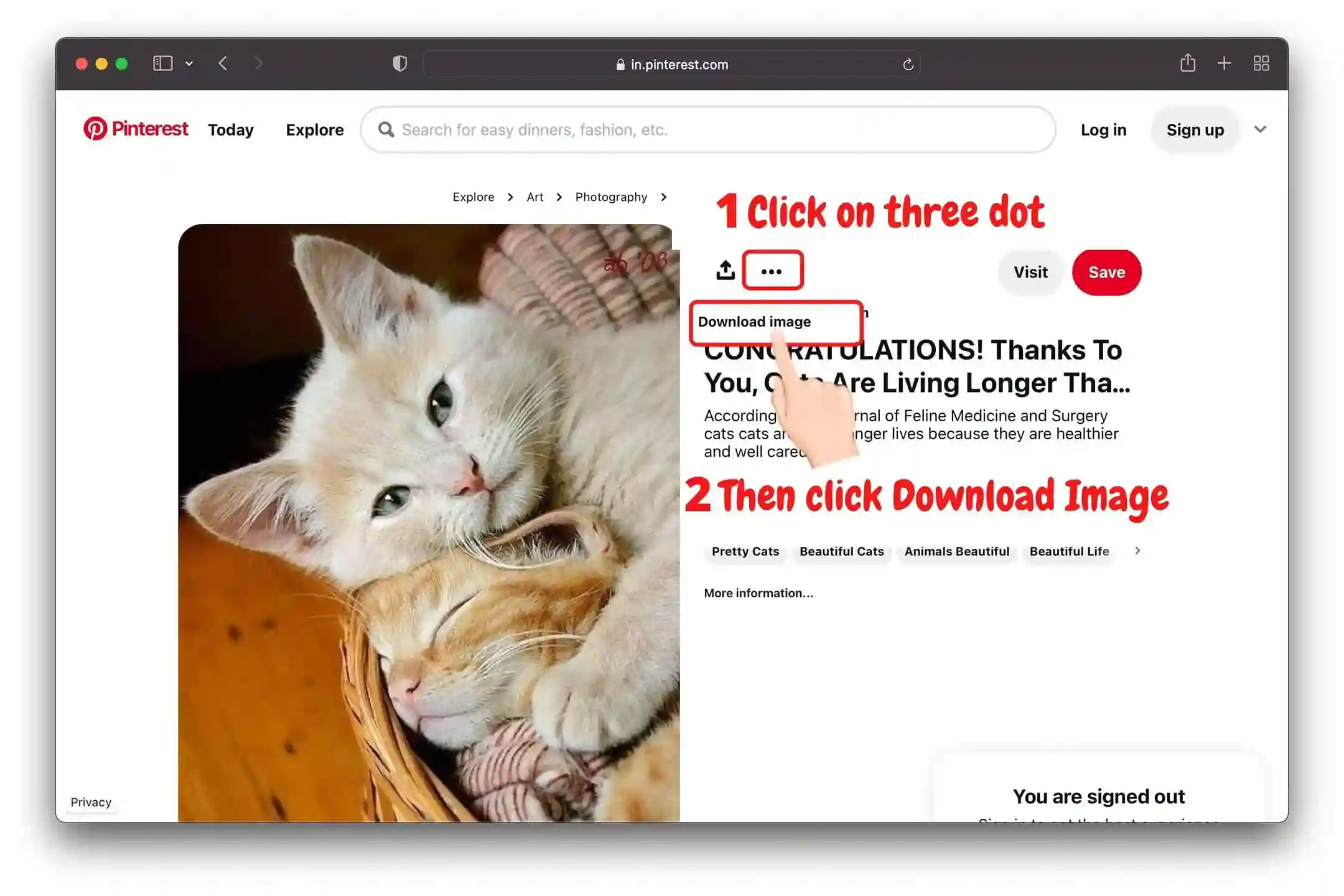
💻 Steps for Pinterest Desktop Website
- 📌 Select the image you want to save.
- 📌 Click the three-dot (•••) icon on the image.
- 📌 Select the "Download Image" option from the menu.
- 📌 If the quality is low or the option is missing, paste the link in Pinvids for a better download.
📱 Steps for the Pinterest Mobile App
#1 Tap the Dots
Open the Pin and tap the three dots in the top corner.
#2 Tap Download
Choose "Download Image" from the options list.
#3 Check Gallery
Your image is now saved. Use Pinvids if you want to download GIFs or Videos.

Visual Guide: How to Save Pinterest HD Images

Is Pinvids Safe to Use?
Yes, PinVids is completely safe and designed with a privacy-first approach.
Image Downloader FAQs
Yes, you can save individual images, artwork, and Pins from any public board.
No registration or login is required. Pinvids is completely anonymous and free.
Yes! Our tool saves images in their original high resolution without any watermarks.
Paste the link into Pinvids, click download, and the image will save directly to your phone's photo library.
We support JPG, PNG, and WebP formats.
Currently, we only support single image downloads to ensure highest quality.
Ensure you are copying the link of the full-resolution image, not a thumbnail.
No, you can download as many images as you want.